Users & access
Handle common account and access changes without jumping between multiple admin screens.
Your everyday Microsoft 365 tasks, made more approachable. TenantPilot helps you find the right action, review what you're about to do and get on with your day.
TenantPilot complements your existing IT support provider. It doesn't replace them.
Sometimes a straightforward Microsoft 365 task needs attention urgently or outside normal support hours. TenantPilot helps authorised staff handle suitable everyday changes themselves, when their usual support isn't immediately available.
For complex changes, security incidents or major outages, continue to use your IT partner and established support procedures.
From routine account changes to mailbox access, TenantPilot brings useful Microsoft 365 tasks together in one place, with clearer steps along the way.
Handle common account and access changes without jumping between multiple admin screens.
Manage everyday Exchange Online tasks, including mailbox permissions and forwarding.
Describe what you need or browse available actions. Spend less time remembering where a setting lives.
Analyse PowerShell commands and see warnings before you decide whether to proceed.
Review the target, understand the action and confirm changes deliberately.
Keep track of actions and results, with options to copy or export history for your records.
Use TenantPilot only for tasks your organisation has authorised. Your normal support and incident processes still apply.
Built to make suitable Microsoft 365 admin tasks feel less daunting, without hiding what matters.
Use Microsoft sign-in with an account that has the right permissions for the task.
Search using everyday language or choose from the task list.
Check the details, run an authorised action and review its result.
A short, illustrated tour of two everyday tasks: adding a mailbox alias and giving a colleague access to a shared mailbox.
About this video: This is an illustrative walkthrough assembled from TenantPilot application screenshots and simulated screens using completely fictional data. It is not a recording of live task execution, and no Microsoft 365 changes were made. Actual results depend on your permissions and environment.
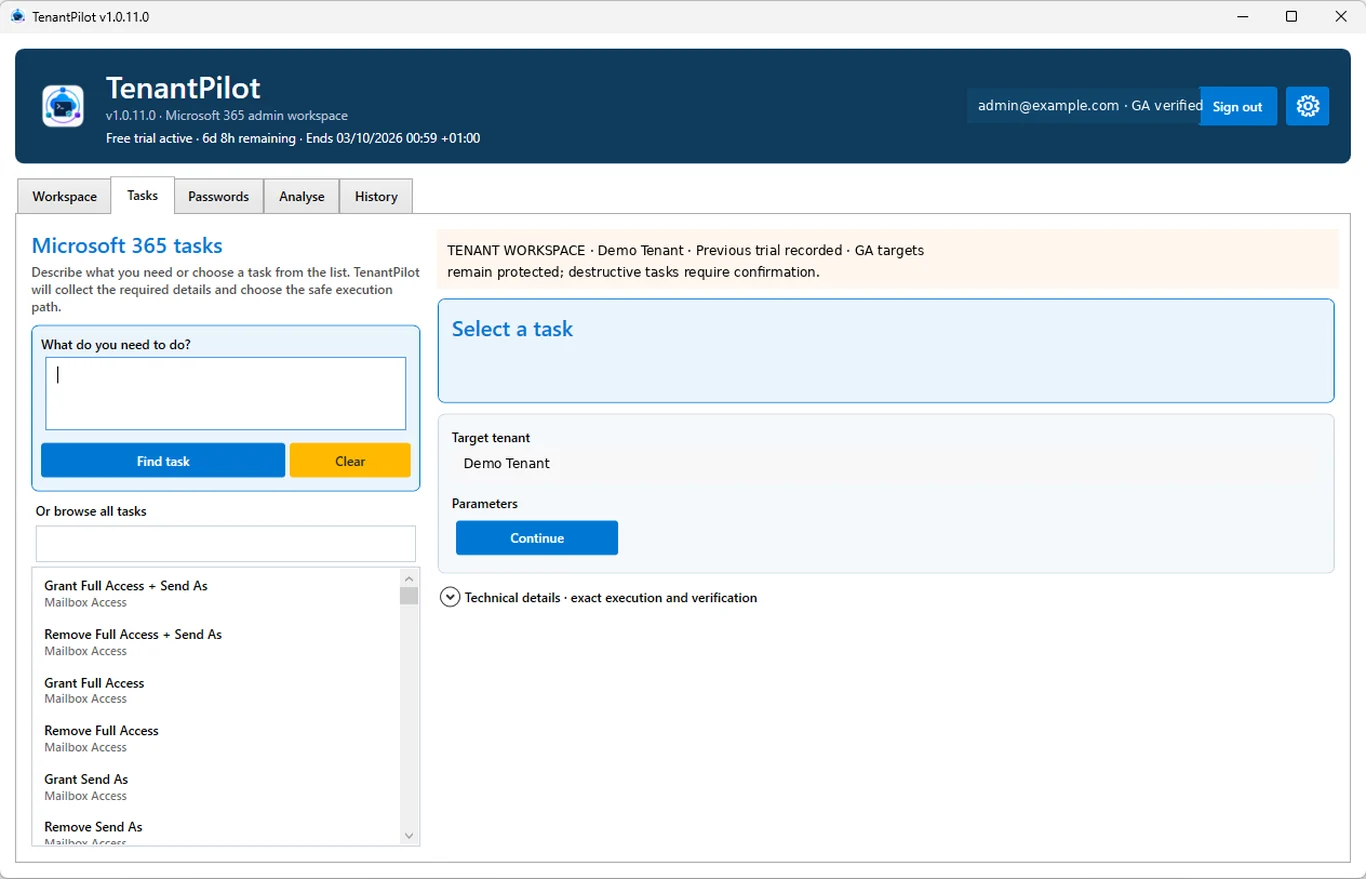
Real, sanitised screenshots from the Windows application. No invented dashboards or complicated concepts.
Search for common Microsoft 365 tasks and work through the details in one place.
TenantPilot is distributed through Microsoft Store. The Store handles the subscription, so there's no separate checkout on this website.
UK advertised subscription price. Final pricing, tax and any trial eligibility are shown in Microsoft Store.
See TenantPilot in Microsoft StoreA compatible Windows device, Microsoft 365 access and suitable permissions are required. Terms apply.
A few things worth knowing before you get started.
Visit supportNo. TenantPilot is designed to make appropriate day-to-day administration clearer for responsible staff, including people who aren't full-time IT specialists. You'll still need authorisation and the correct Microsoft 365 permissions.
No. TenantPilot complements your IT support partner by making suitable, authorised Microsoft 365 tasks easier to handle, including when something needs attention quickly or outside usual support hours. Complex changes, security incidents and major outages should still go through your established IT support processes.
TenantPilot is available in Microsoft Store, which manages trial eligibility, billing and cancellation. You can review the terms and current price before subscribing. A subscription covers one Microsoft 365 tenant.
TenantPilot's subscription is associated with a single Microsoft 365 tenant. Separate tenants need their own entitlement. For questions about changing an organisation's tenant, contact support.
TenantPilot is a Windows desktop application. This website explains the product; the administrative tools run inside the Windows app.
Yes. You sign in using your organisation's Microsoft account. Actions depend on the permissions held by that account and on the Microsoft 365 services available to your organisation.
Discover TenantPilot for Windows in Microsoft Store.